Decor Life - Home Design Game
SayGames LtdSimulation
4.59.96K Reviews
- Version
- 1.0.49
- Installs
- 100.00M
- Age Rating
- Everyone
Screenshots
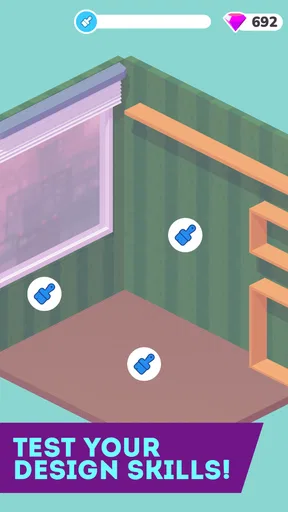

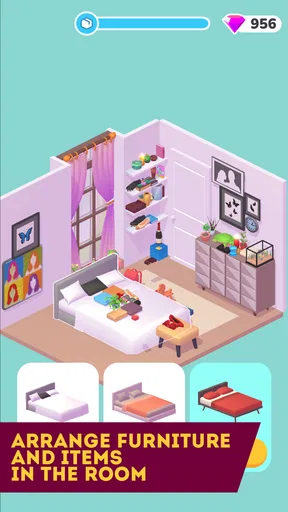

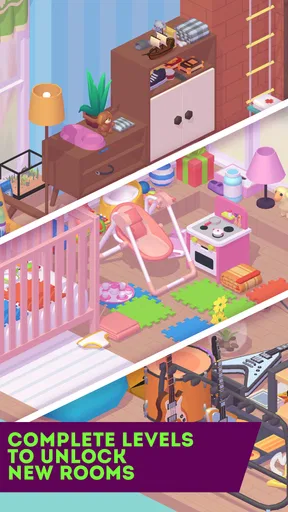
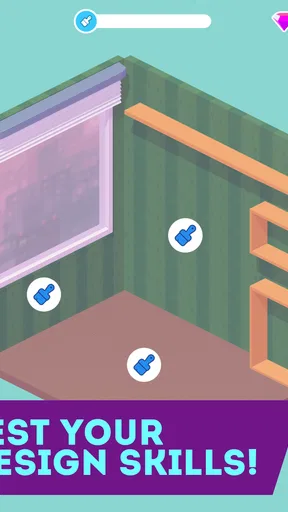
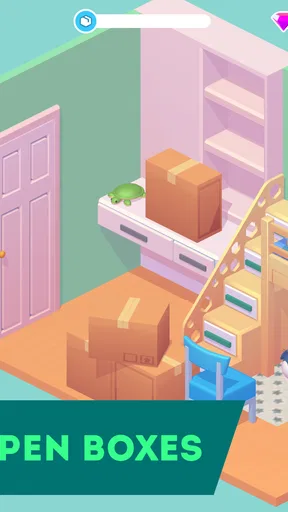
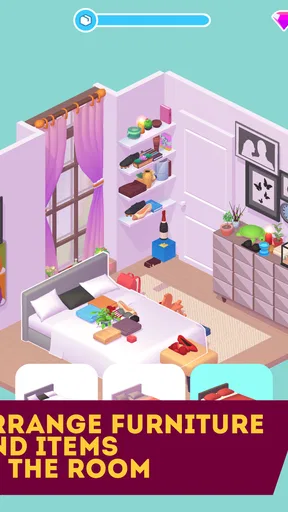
Our Review of Decor Life - Home Design Game
 Analysis by Appyee
I tend to enjoy home-design games most when they give me a clear task, let me make a few meaningful choices, and then show me a satisfying result without demanding a long commitment. Decor Life - Home Design Game fits that kind of mood: I can focus on making a space feel more considered, enjoy the visual change, and put the game down when I’m ready. It is a casual simulation game from SayGames Ltd, and its appeal is less about mastering a complicated design system than about the pleasure of arranging a room.
The first move is simple, but the choices matter
The basic appeal is easy to understand: I look at a room, decide what kind of atmosphere I want, and use furniture and décor to move it toward that idea. That makes the first action approachable even if I don’t know much about interior design. I’m not expected to arrive with a complete plan; I can start by noticing what feels out of place and build a look around the pieces available.
That simplicity is useful on a small phone screen. Instead of needing to sketch a floor plan or measure real furniture, I can test a visual idea quickly. I might try a calmer arrangement, then switch to something more colorful just to see how the room reads. The key is treating each choice as an experiment rather than assuming there is one perfect answer. If I get stuck, changing one prominent item at a time makes it easier to judge what is helping and what is making the room feel busy.
For a realistic everyday use case, I’d open it during a short break when I want something more engaging than scrolling but less demanding than a long strategy game. I can make a few décor decisions, see a room take shape, and stop without needing to remember a complicated chain of actions. That makes it a better fit for brief, low-pressure sessions than for someone looking for a deep creative tool with extensive planning controls.
How the decorating loop keeps moving
I find the decorating loop most satisfying when I treat each room as a small visual problem: choose a direction, make a few changes, then pause to see whether the whole space feels more settled. That quick check is useful before I commit to adding more, because an uncluttered result can be stronger than filling every gap. Once I’ve judged the finished room, the next task offers a fresh starting point rather than requiring me to keep extending the same design.
First Impressions: A Virtual Designer's Paradise
As soon as I launched the app, I was greeted by a vibrant and user-friendly interface. It’s like Pinterest met The Sims and decided to have a stylish baby. The colors pop, the navigation is intuitive, and the overall vibe is just... fun! Whether you're a pro interior designer or someone who just dabbles in decor dreams, Decor Life makes you feel right at home.
Let’s Talk Features: More Than Just a Pretty Room
The app is packed with features that cater to every creative itch. You can choose from a plethora of rooms to design, from cozy bedrooms to chic living spaces. The selection of furniture and decor items is vast, allowing for endless combinations. What I love most is the option to customize colors and textures—it's like having a digital swatch book at your fingertips!
The game also includes challenges and tasks that keep things exciting. Completing these earns you rewards that you can use to unlock even more items. It’s like a little pat on the back for your design efforts. Plus, there’s a social aspect where you can share your designs and get inspired by others. It's like having a supportive community of fellow decor enthusiasts cheering you on.
The Gameplay Experience: Smooth and Engaging
Now, onto the gameplay. It's incredibly smooth, with no noticeable lags or glitches during my playtime. The drag-and-drop mechanics make arranging furniture a breeze. You can rotate, resize, and even layer items to create depth and realism in your designs. It’s incredibly satisfying to see your vision come to life with just a few taps.
One of my favorite aspects is the "before and after" feature. You can take a snapshot of your space before you start and compare it to your finished masterpiece. It’s a fantastic way to see your progress and feel a sense of accomplishment.
The feedback is part of the fun
The most rewarding point in the loop is the visible contrast between a room at the beginning and after I’ve made my choices. The tasks give each decorating session a purpose, while the reward for finishing creates a natural reason to try another space. I like that there is a result to look at, not just a sequence of taps. When I’m experimenting with colors or furniture, I can judge the room as a whole rather than treating each item as an isolated selection.
A practical tip is to pause before filling every open area. In a design game, it is tempting to add another decorative object simply because it is available, but a room can feel more coherent when one or two choices are allowed to stand out. I also find it helpful to think about the room’s overall mood first—soft and restful, lively, or more polished—and then make choices that support that direction. These small constraints make the activity feel more like designing and less like collecting objects.
Rewards, limits, and a reason to return
Unlocking more items gives the game a steady sense of progress, but rewards are most useful when I treat them as options rather than a promise that every room will match the picture in my head. The fun comes from working with the available choices and seeing what combination feels right. If I’m the sort of player who wants complete control over every detail from the start, that gradual progression may feel restrictive. I would be more likely to choose a full-featured interior-design tool for precise room planning or a building sandbox for open-ended construction.
Decorating games also work best when I can stop at a natural point. Here, completing a task and seeing the finished space gives me that stopping point; the next room or challenge can wait until I feel like coming back. That makes the loop—make choices, see the result, collect a reward, then decide whether to continue—easy to fit around everyday interruptions. I don’t need to turn a quick play session into a long project to feel that I’ve accomplished something.
Who will enjoy it, and who may want something else
I’d recommend it to anyone who enjoys visual tidying, trying décor combinations, or imagining how a room might feel with a different style. It can also be a nice low-stakes pastime for someone who wants a creative break without the pressure of getting a real renovation right. A parent looking for an accessible game suitable for a broad age range may appreciate that its content rating is Everyone, though the best fit still depends on what kind of game the person wants to play.
On the other hand, it is not the choice I’d make for serious home-improvement planning. A mobile decorating game can help me explore visual preferences, but it is not a substitute for measurements, budgets, material research, or checking whether furniture will fit in a real room. Nor would I pick it when I want a competitive game with complex objectives or a construction simulator that lets me shape every part of a building. The appeal here is the small creative decision and its immediate visual payoff.
Compared with many simulation games that ask me to manage resources, schedules, or a growing operation, this one puts the room itself at the center. Compared with open-ended design software, it is easier to approach but offers less practical precision. That middle ground is its strength: I can enjoy arranging a space without having to learn a professional tool, while accepting that the experience is guided by tasks and available items rather than unrestricted design control.
Practical details before you settle in
The game is free to download, with optional in-app purchases ranging from $0.99 to $99.99 per item. I’d treat spending as a personal choice, not as a requirement for enjoying the basic decorating loop. If you prefer not to make purchases in games, it is sensible to review purchase settings on the device before handing it to a child or anyone who might tap through prompts quickly. The current version is 1.0.49, and it requires Android 8.0 or later.
Its scale is a useful signal of broad appeal: it has an average rating of 4.5 from around 1.1 million ratings, with over 100 million installs. Those figures don’t tell me whether its particular rhythm will suit my taste, but they do suggest that the straightforward room-makeover premise has reached a large audience. I would still judge it by what I want from a session: relaxed visual play, rather than technical design advice or a deep simulation.
If I only have a few minutes, I can focus on one room and leave the next task for later. If I want to linger, I can spend more time comparing arrangements and thinking about which items support the look I’m aiming for. That flexibility is a stronger reason to return than any claim that every session has to be long. The game is most satisfying when I let myself play at its pace instead of expecting a professional design suite in miniature.
Why You’ll Love It
If you’re someone who loves creativity, this app is a total winner. It's not just about placing furniture—it's about expressing yourself. The freedom to experiment with styles and layouts is truly liberating. Plus, it’s a great way to unwind and let your mind wander through a world of design possibilities.
Another highlight is the way Decor Life manages to blend fun with learning. You’ll pick up handy decor tips and tricks that you can apply in real life. It’s like having a mini design school right in your pocket!
Final Thoughts: A Must-Try for Design Lovers
So, is Decor Life - Home Design Game worth a download? Absolutely! Whether you’re killing time on your commute or just need a creative outlet, this app provides a delightful escape into the world of interior design. It's engaging, educational, and endlessly fun.
So why not give it a try? You might just find your inner designer waiting to be unleashed. And who knows? After a few sessions in the app, you might be inspired to tackle that real-life room makeover you've been dreaming about.
Happy decorating!
Verdict
Strengths of Decor Life - Home Design Game
- Engaging and intuitive design interface.
- Wide variety of decor options available.
- Regular updates with new challenges.
- User-friendly controls for easy navigation.
- Encourages creativity and design skills.
Limitations of Decor Life - Home Design Game
- Requires internet connection to play.
- In-app purchases can be expensive.
- Ads can be intrusive during gameplay.
- Limited customization for character avatars.
- Progression can be slow without purchases.
Other Releases by SayGames Ltd
View All
Turbo Stars - Rival Racing
Racing4.6

Johnny Trigger: Action Shooter
Action4.6

DOP 4: Draw One Part
Puzzle4.4

DOP: Draw One Part
Puzzle4.4
Similar Picks in This Category
View All
Truckers of Europe 3
Wanda Software4.3

Town Building Life Simulator
XGame Global4.2

Fidget Toys Trading・Pop It 3D
Freeplay Inc4.7

Sculpt People
CrazyLabs LTD4.4

Scary Teacher 3D
Z & K Games4.2

Hair Tattoo: Barber Shop Game
CASUAL AZUR GAMES4.3
Frequently Asked Questions
What is Decor Life - Home Design Game about?
Decor Life - Home Design Game is a simulation game that allows players to immerse themselves in the world of interior design. Players can decorate various rooms and spaces with a wide selection of furniture and décor items. It offers a creative platform for those interested in design and aesthetics, giving users a chance to express their creativity in a virtual environment.
How does the gameplay work in Decor Life?
In Decor Life, players start with a blank room and are given a variety of design challenges. They can select from different pieces of furniture, wallpapers, and decorations to create a stylish space. The game offers rewards and progression as players complete design tasks, allowing them to unlock new items and features as they advance.
Is Decor Life - Home Design Game free to play?
Decor Life is free to download and play, but it includes in-app purchases. These purchases can enhance the gaming experience by unlocking premium items, skipping wait times, or providing additional design options. However, players can enjoy the game without spending money by progressing through challenges and earning in-game currency.
Can I play Decor Life offline?
Decor Life requires an internet connection to access certain features, such as updates, events, and social interactions. However, basic gameplay elements, like decorating and designing rooms, can often be accessed offline. For the best experience, it's recommended to have an internet connection to enjoy all the game's features fully.
What devices are compatible with Decor Life - Home Design Game?
Decor Life is available on both Android and iOS platforms. It requires a device with compatible operating systems, typically Android 5.0 or later and iOS 10.0 or later. It's advisable to check the app store for specific device compatibility and ensure your device meets the necessary system requirements to run the game smoothly.
Play our best games!


